
Download WinArchiver – file compression, archive manager, ZIP, RAR, 7Z, ISO, file management, utility tool, free software, Windows app
Overview
WinArchiver is a Windows-based utility tool designed to streamline file compression and decompression tasks. As a productivity-focused application, it addresses the common challenge of managing large volumes of digital files across multiple formats. The app serves both casual users and professionals who frequently handle archives, disk images, or software distributions.
Its ability to support a wide range of file types—including ZIP, RAR, 7Z, and ISO—makes it a versatile solution for organizing, storing, and sharing data efficiently. The developer, WinArchiver, has positioned the tool as a free, all-in-one archive manager that eliminates the need for multiple third-party applications. This reduces software clutter and simplifies workflow for users who rely on file compression for backup, transfer, or storage purposes.
In the broader software ecosystem, WinArchiver fills a niche by offering a lightweight yet powerful alternative to more complex or paid tools. It is particularly useful for individuals managing project files, developers distributing software, or anyone seeking a reliable method to reduce file size without compromising data integrity. The app’s release on September 17, 2024, reflects a continued commitment to providing accessible digital utility tools in a competitive market.
Key Features & Functionality
- Multiple Format Support: WinArchiver handles a broad spectrum of archive formats, including ZIP, RAR, 7Z, and ISO. This enables users to open, extract, and manage files regardless of the original compression method, reducing dependency on specialized software.
- Create and Edit Archives: Users can generate new archives or modify existing ones without full decompression. This feature supports efficient file management, especially when updating content in a shared or stored archive.
- Fast Compression Algorithms: The application employs advanced compression techniques to minimize file size while preserving data accuracy. Users can adjust compression levels to balance speed and efficiency based on their specific needs.
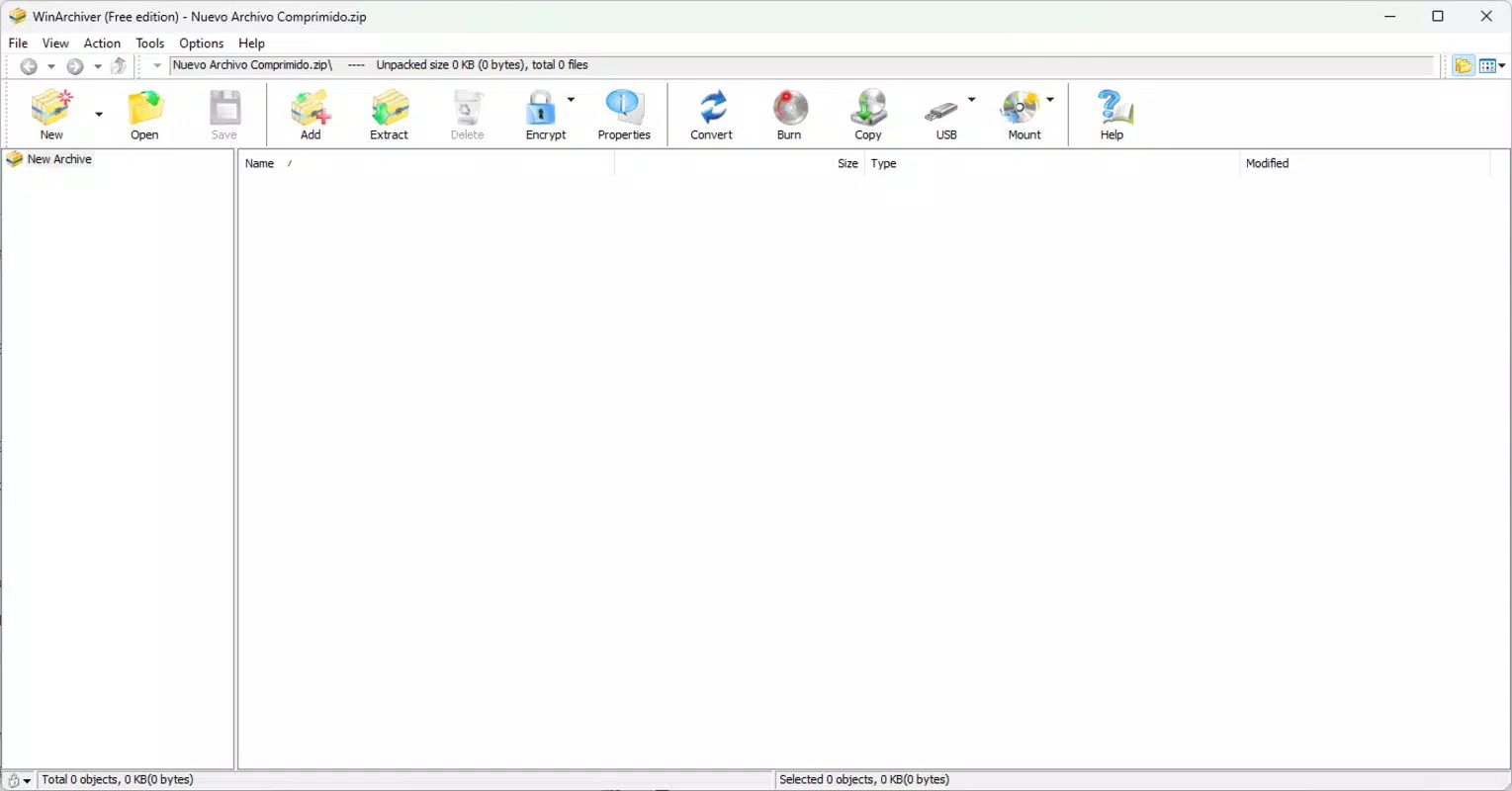
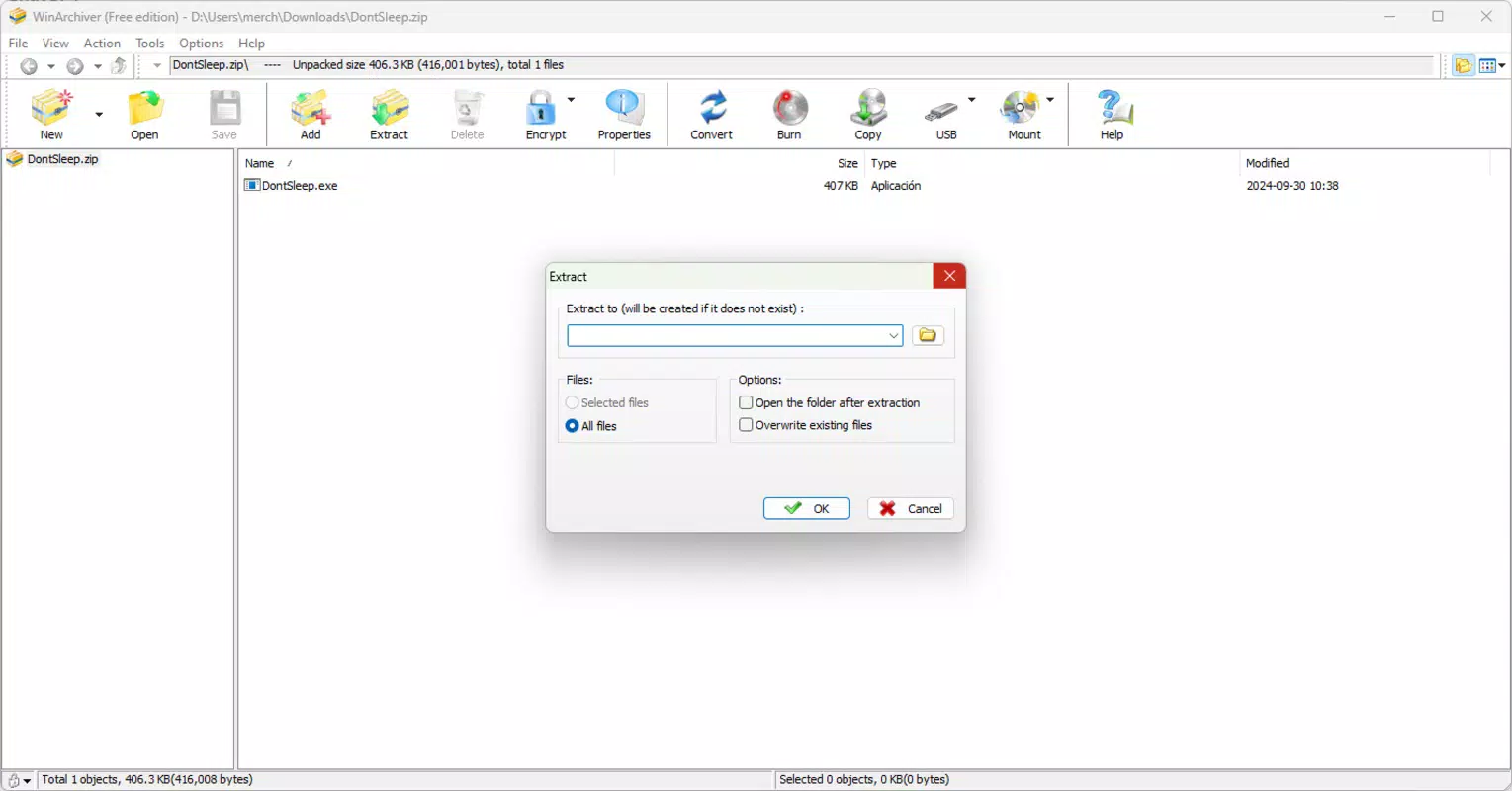
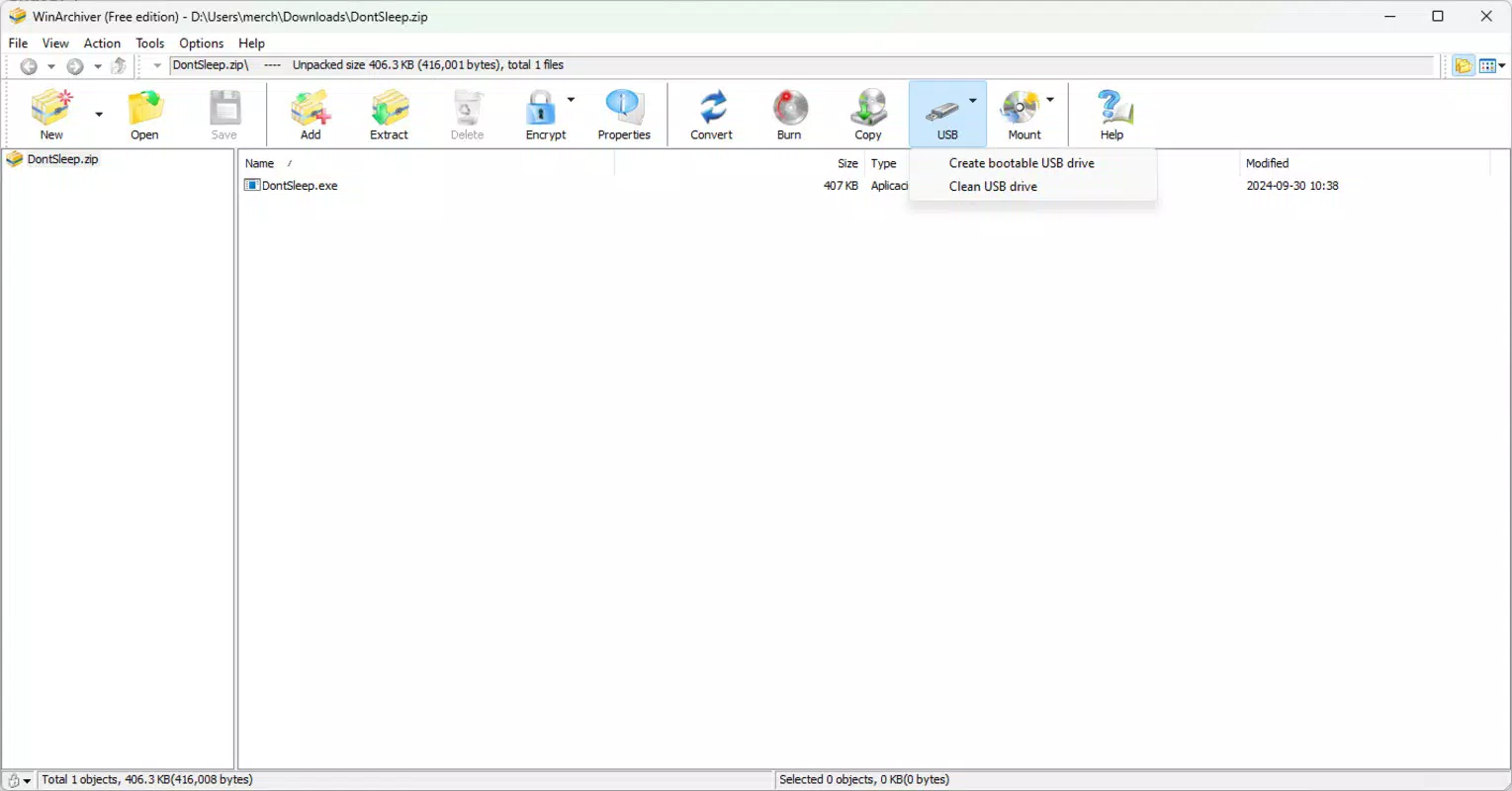
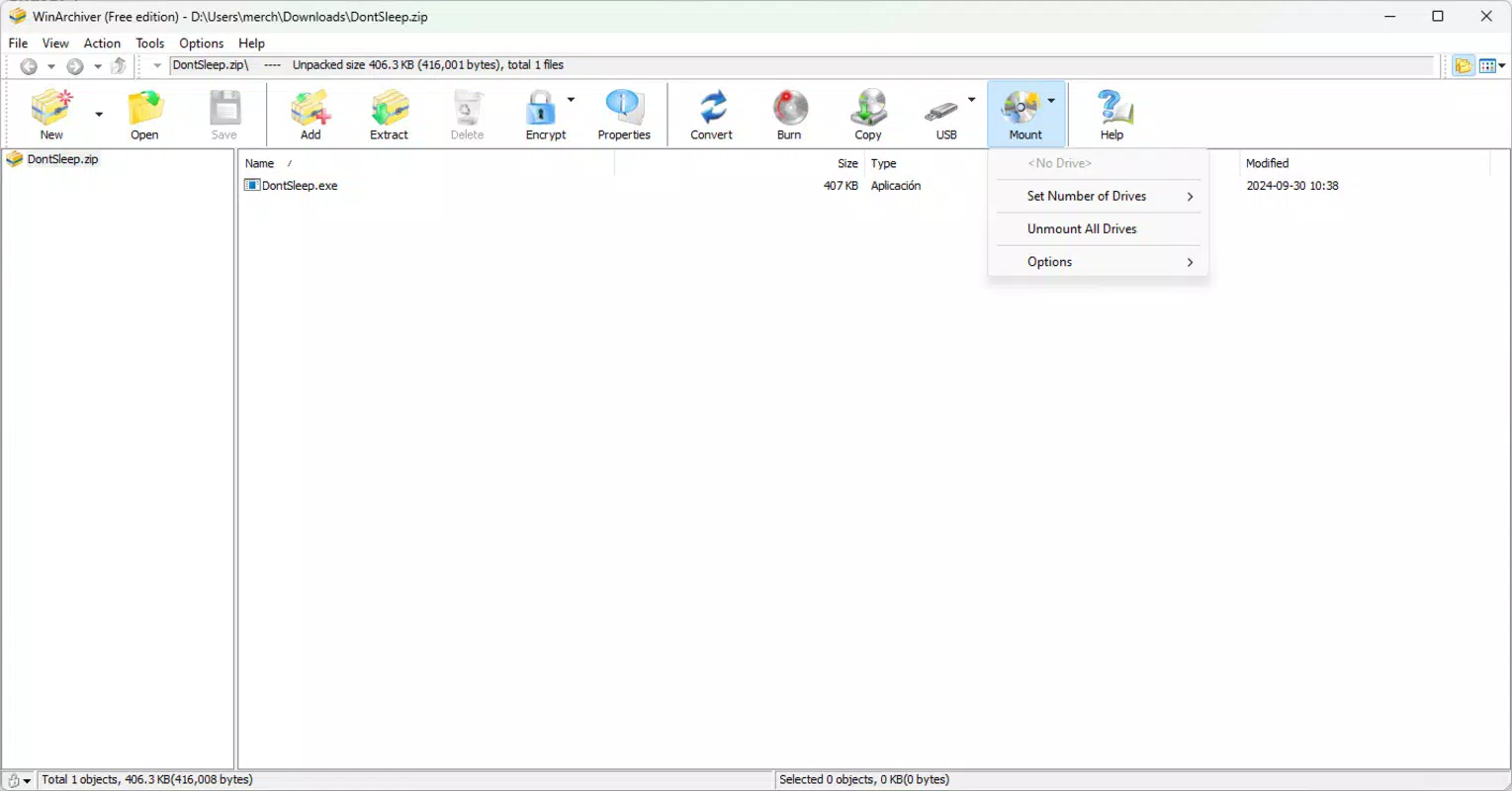
- User-Friendly Interface: Designed with accessibility in mind, the interface allows users of all skill levels to navigate functions easily. Key actions like adding files, extracting content, or creating archives are intuitive and well-organized.
- Free to Download: WinArchiver is available at no cost, making it a budget-friendly option for individuals and teams seeking robust file management capabilities without licensing fees.
For example, a user preparing a software package for distribution can compress multiple files into a single ZIP archive, edit the contents directly, and extract the package on any recipient’s system without requiring additional tools. Similarly, a professional handling large project files can reduce storage space and speed up file transfers by leveraging the app’s efficient compression engine. The ability to work with disk images like ISO files also enhances its utility in software installation and backup workflows.
Interface, UX & Performance
WinArchiver features a clean, minimalist interface that prioritizes functionality and ease of access. The layout is organized around core tasks—creating, opening, extracting, and editing archives—ensuring that users can perform essential actions with minimal navigation. Visual cues and consistent iconography support intuitive interaction, reducing the learning curve for new users.
Navigation flows logically from file selection to compression settings, with clear prompts and progress indicators during operations. The app maintains responsiveness during compression and extraction, even with moderately large files, though specific performance benchmarks were not disclosed by the developer. Although the developer did not list formal performance metrics, the application’s lightweight footprint of 42.5 MB suggests efficient resource usage across various Windows systems.
Stability appears to be a focus, as the app functions reliably during typical usage scenarios. Users can expect consistent behavior when managing archives, with no reported crashes or data corruption issues in the available information. The overall user experience is optimized for speed and simplicity, aligning with modern expectations for utility software on desktop platforms.
Platform Compatibility & Technical Requirements
WinArchiver is designed exclusively for the Windows operating system. It is compatible with Windows versions released in recent years, though specific minimum OS requirements were not listed by the developer. The application has a file size of 42.5 MB, indicating a lightweight installation that does not impose significant storage demands.
The current software version is 2.0.3, released on September 17, 2024. As a free tool, WinArchiver does not require a license or subscription, making it accessible to a broad user base. The developer did not provide additional technical details regarding hardware specifications, memory usage, or CPU requirements.
Compatibility information was not fully disclosed, so users should ensure their system meets general Windows standards for running modern desktop applications. For those seeking a secure, reliable utility for file management, WinArchiver offers a straightforward installation process and a minimal setup footprint.
Pros and Cons
Pros
- Supports multiple archive formats including ZIP, RAR, 7Z, and ISO
- Allows editing of existing archives without full decompression
- Fast and efficient compression algorithms
- Intuitive interface suitable for beginners and experts
- Completely free to download and use
Cons
- Specific OS requirements were not listed by the developer
- Performance benchmarks were not provided
- No information on cloud integration or sync features
- Developer did not disclose update frequency or support channels
- Compatibility with older Windows versions remains unclear
FAQ
Is WinArchiver safe to download and install?
Yes, WinArchiver is available as a free tool from its official source. As long as it is downloaded from a trusted provider, the application poses no known security risks. Users are advised to avoid third-party sites that may bundle unwanted software.
Can I use WinArchiver on older versions of Windows?
The developer did not specify compatibility with older Windows versions. While the app may function on legacy systems, this has not been confirmed. Users should check their system requirements before installation.
Does WinArchiver support password-protected archives?
While the app supports multiple formats, the developer did not confirm whether password protection is available for creation or extraction. Users should refer to the official documentation for details.
Is there a mobile version of WinArchiver?
WinArchiver is currently designed only for Windows desktop systems. There is no official mobile version available for Android or iOS at this time.
How often is WinArchiver updated?
The developer did not disclose the update frequency. The latest version, 2.0.3, was released on September 17, 2024. Users should monitor the official website for future updates.
Final Thoughts
WinArchiver stands out as a capable, free utility tool for managing compressed files on Windows. Its broad format support, efficient compression, and user-friendly design make it a valuable addition to any digital workflow. Whether you're a student organizing project files, a professional sharing large datasets, or a casual user simplifying file transfers, WinArchiver delivers reliable performance without cost.
The ability to edit archives directly and work with disk images adds significant functionality beyond basic compression. While some technical details remain undisclosed, the app’s clean interface and consistent behavior suggest a mature and well-optimized product. For users seeking a secure, lightweight, and feature-rich archive manager, WinArchiver offers strong value.
Download WinArchiver now


